A free Stream Deck app for iPhone that controls your PC
Searching for a Stream Deck for iPhone or iOS? Klikor is a free iPhone app that pairs with a Windows PC and turns your phone into a customizable button pad, with no hardware to buy and no account to create.
What you get on iPhone
Klikor is a phone-as-macro-deck. The iOS app shows pages of buttons, and every tap sends a command to your Windows PC over your local network. The free core is not capped at a handful of keys: you get unlimited profiles, unlimited buttons per page, multi-page layouts, keyboard shortcuts, macros and app launching.
It does not take over your phone. You can still take calls and reply to messages; Klikor is one more app you open when you want your deck.
Install the Klikor desktop app on your PC
Klikor has two parts: a free desktop app that runs on your Windows PC, and a mobile app that acts as the button pad. The desktop app is where your commands actually execute, so it comes first. Grab the installer from the download section on the homepage and run it. There is no account to create.
Install Klikor on iPhone and pair
- Install the app. Open the Klikor listing on the App Store and tap Get. iOS 14 or newer is required.
- Join the same Wi-Fi. Your iPhone and your PC must be on the same local network.
- Start the desktop app. Open Klikor on Windows and show the pairing QR code.
- Scan the QR code. Open Klikor on your iPhone and scan it. Pairing is certificate-pinned, so the connection is encrypted and tied to your PC.
- Tap a button. Your first page appears on the phone. Edit buttons from the desktop app and they show up on the deck.
Most people are up and running in a couple of minutes.
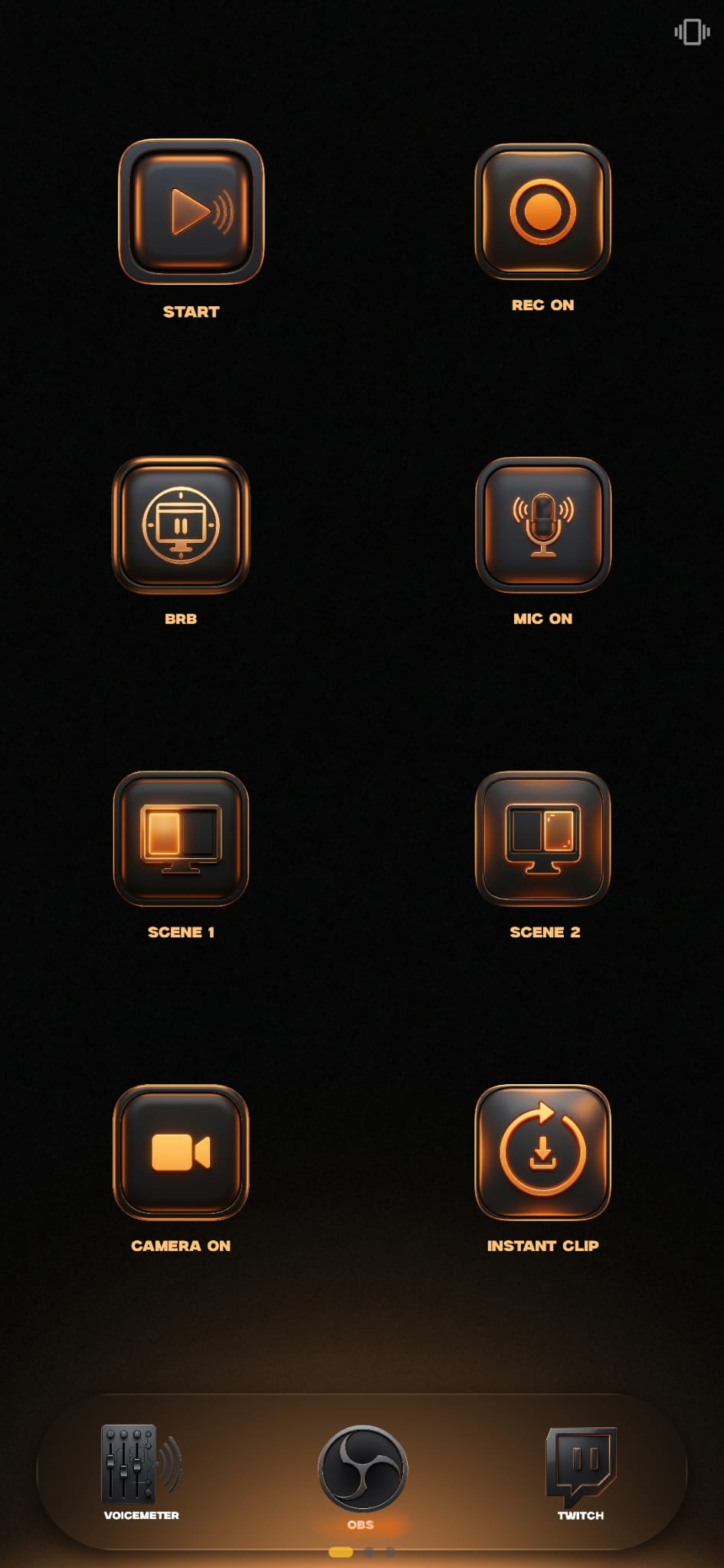
What you can bind to a button
- Keyboard shortcuts and macros with up to 500 steps, free.
- PowerShell, CMD and Bash scripts and app launching, free.
- Generic webhooks, free.
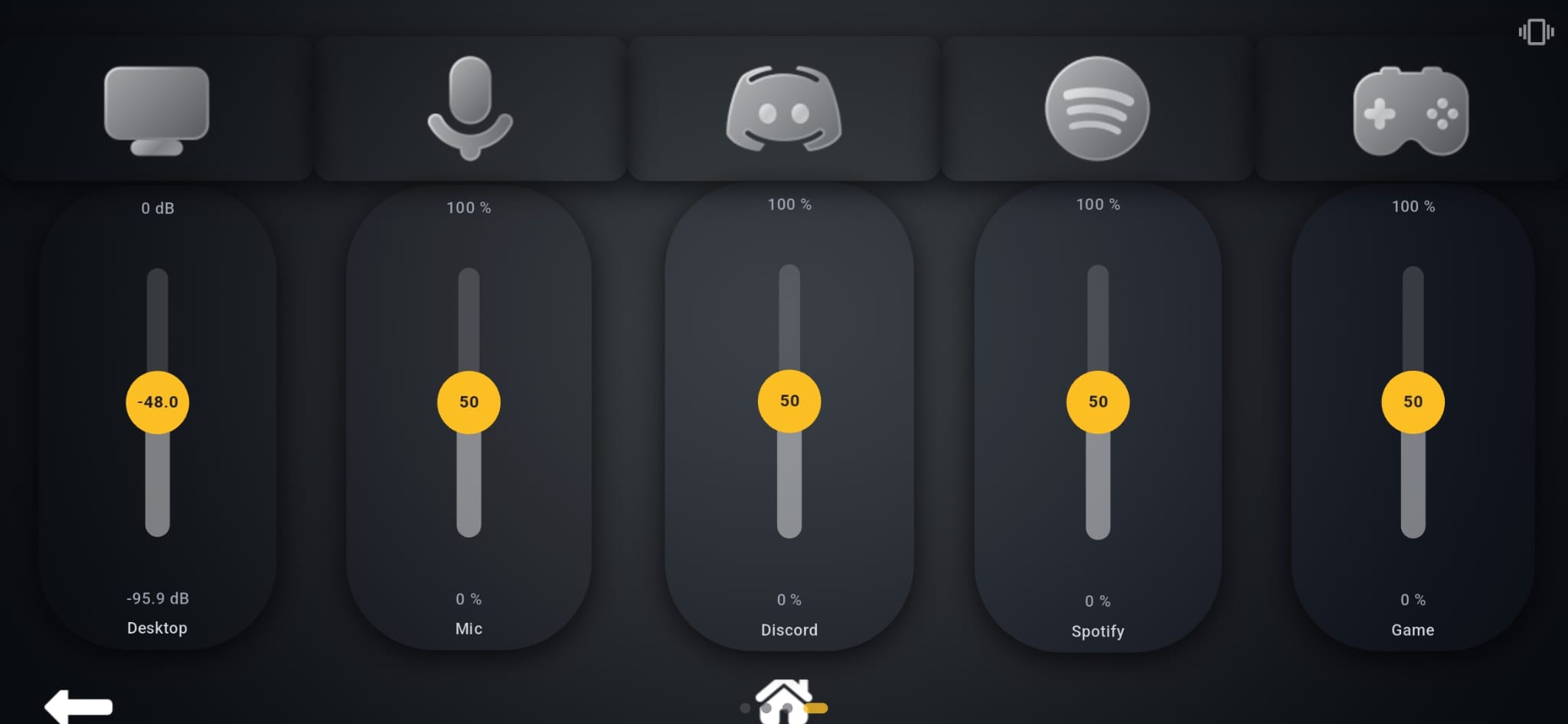
- OBS, Twitch, Spotify, Discord, VoiceMeeter and Govee through the Pro integrations. OBS and VoiceMeeter are two-way, so buttons reflect live state, for example whether you are really live or muted.
- A live audio mixer for VoiceMeeter, shown below.
Privacy and cost
Commands travel from your iPhone straight to your PC over Wi-Fi. Nothing goes through a Klikor cloud and there is no account. The core is free. Pro is a one-time purchase rather than a subscription.
How it compares to Stream Deck on iOS
Elgato's Stream Deck Mobile also runs on iPhone, but its free tier is limited and full use needs a subscription and an Elgato account. A physical Stream Deck wins if you want real tactile keys and macOS support. If you would rather use the phone you already own, Klikor is the free option, with the caveat that its desktop app is Windows only for now. For the full side-by-side see Klikor vs Stream Deck. On Android instead? See the Android guide.
Stream Deck for iPhone: frequently asked questions
Is there a free Stream Deck app for iPhone?
Yes. Klikor is a free iOS app. Its core has unlimited profiles, buttons, macros and scripts at no cost, and it pairs with the free Klikor desktop app on your Windows PC.
Can I use an iPhone as a Stream Deck?
Yes. Install the Klikor desktop app on Windows, install Klikor from the App Store, and scan the QR code. Your iPhone becomes the button pad.
Does it work on iPad?
The App Store listing is for iPhone and iPad, and the homepage lists iOS 14 or newer.
Do I need a Mac?
No. The desktop app runs on Windows. macOS desktop support is not available yet, but the iOS app works with a Windows PC on the same network.
Does it need an internet connection or account?
No. Your iPhone and PC talk directly over local Wi-Fi with no cloud relay and no account.
What does Pro add?
Pro is an optional one-time purchase that unlocks the platform integrations such as OBS, Twitch, Spotify, Discord and VoiceMeeter. The core app stays free.
Turn your iPhone into a button pad
Install the free desktop app on Windows, install Klikor from the App Store, scan the QR code. No hardware, no account, no subscription.